StickersMaker / WeChat
Make animated GIF reactions for WeChat
Turn your photo into animated GIF stickers for WeChat chats.
Turn your photo into a reusable cartoon character and create personalized animated WeChat reactions. Save the character for later stickers, then download transparent GIF files. GIF uses on-or-off transparency; adding a GIF to your collection depends on your WeChat version.
Verify your email to get 20 credits. Try 2 stickers.
Your character, without the rectangle
Our animated sticker files include transparent regions. See the same animation on different backgrounds; GIF and WebP handle transparency differently.
Make my stickers →AI demo photos and curated results, not customer testimonials. Likeness, motion and cutout edges can vary.

Recent stickers
Your first sticker is waiting to happen.
From photo to personal reactions


Public AI-generated examples. These are not customer photos or testimonials. Likeness, movement and edge detail vary by photo and generation.
Couple and friend reactions
For someone you love


For your favorite people

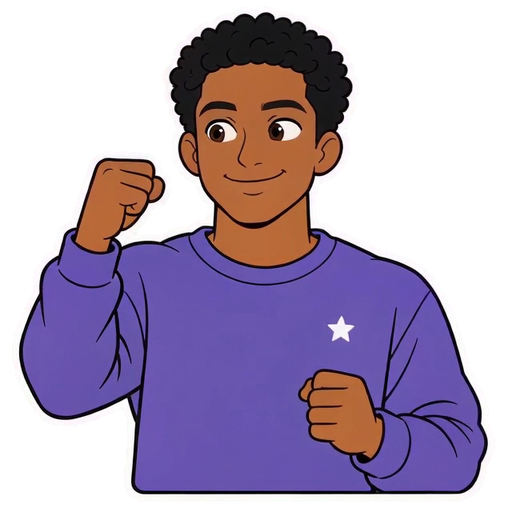
Original AI characters and curated animations, not customer photos or testimonials. Motion and cutout edges can vary; loop transitions may be visible. Single-character couple and friend scenarios, not two-person portraits. Presets select reactions only; use your own photo and character in the maker.
Explore animated examples →How to make your animated stickers
1. Upload your photo
Sign in and verify your email, then upload a clear, front-facing photo. Our AI creates your cartoon character; likeness varies with the photo and result.
2. Pick reactions and add captions
Choose everyday animated reactions such as greetings, thanks and encouragement. Add an optional caption of up to 20 characters.
3. Download and add to WeChat
Preview and download the GIF, then use your phone’s supported WeChat sticker-collection flow. Check file limits and the app version if adding it fails.
Downloads and import requirements
WeChat creations download as 240×240 GIF files. Each reaction costs 10 credits, including an optional caption.
Download the GIF to your phone and add it through a supported WeChat sticker-collection flow. Controls and file limits vary by app version. This product creates personal chat reactions; it does not submit packs to the WeChat sticker store.
GIF uses on-or-off transparency. An edge cannot keep the same partial transparency as WebP. The WeChat download is a 240×240 GIF. Animated WebP supports partial alpha transparency. WhatsApp creations include a 512×512 animated WebP, plus a 240×240 GIF for animation sharing.
Frequently asked questions
What format are WeChat stickers?
StickersMaker exports personal WeChat reactions as 240×240 GIF files. Adding a file to your collection depends on your WeChat version and file limits.
How do I add custom stickers to WeChat?
Download the GIF to your phone, then add it through your WeChat sticker collection where supported. If adding fails, check the file size and your app’s current requirements.
How much does it cost?
Each sticker costs 10 credits. First-time email verification unlocks 20 credits, enough to try 2 stickers. Confirmed failed generations return their credits automatically.
Can I turn one photo into several animated WeChat stickers?
Yes. Your first sticker task creates and saves a cartoon character. Select it again for new reactions on any of the four platforms without uploading the photo each time. Each new sticker uses 10 credits; likeness, clothing and movement can vary.
Are my photos public?
No. Photos, characters and stickers are private to your account. Internal processing files are retained for 7 days after a task ends; saved characters and finished stickers stay until you delete them.
Why does a transparent sticker look like it has a background?
Check the original file in a viewer supporting its animation and transparency, on light and dark backgrounds. Screenshots, viewer canvases and conversion may change the result; GIF and WebP transparency differ.
Content reviewed: